


What is a PDU? Rack Power Distribution Units Explained
A power distribution unit (PDU) distributes electrical power from an incoming supply to multiple connected devices. In server racks and data centres, rack PDUs provide a structured way to power servers, switches, storage equipment and other network hardware.
This guide explains how PDUs work, the different types available, common outlet and power configurations, and how to choose the right PDU for your server rack.
PDU stands for Power Distribution Unit. A rack PDU is an electrical device installed inside a server rack or network cabinet to distribute power from one input connection to multiple equipment outlets. Depending on the model, it may also provide power monitoring, remote outlet switching and network management capabilities.
What is a Rack PDU?
A rack PDU, or rack power distribution unit, is designed for installation within a server rack, data rack or network cabinet.
It takes power from an upstream electrical supply and distributes it to multiple connected devices through individual outlets. Rack PDUs are commonly used in data centres, communications rooms and enterprise IT installations.
Unlike general-purpose power strips, rack PDUs can be configured for specific electrical requirements, high outlet densities and vertical or horizontal mounting. Intelligent models may also provide remote power monitoring and management.
How Does a PDU Work?
A PDU receives power from an upstream electrical supply, such as a building distribution circuit or UPS, and distributes that supply across its connected outlets.
Power Input
The PDU connects to a suitable electrical supply using its specified input connection.
Power Distribution
Internal electrical connections distribute incoming power to individual equipment outlets.
Equipment Supply
Connected servers, switches and other devices receive power through compatible cords.
Basic PDUs perform straightforward power distribution. Metered and intelligent PDUs add measurement, monitoring or remote management functions depending on the model.
Types of PDU: Basic, Metered, Switched and Smart
Rack PDUs are available with different levels of monitoring and control. Selecting the appropriate type depends on the requirements of the equipment and the level of visibility needed by operators.
Basic PDU
A basic PDU distributes electrical power to multiple outlets without advanced monitoring or remote management functions.
It is suited to installations where straightforward power distribution is the main requirement.
Metered PDU
A metered PDU measures electrical parameters such as current or power consumption.
Metering may be provided locally or remotely, depending on the model, supporting load visibility and capacity planning.
Switched PDU
A switched PDU allows authorised users to remotely control power to individual outlets or outlet groups.
This can support remote power cycling and equipment management without requiring physical access to the rack.
Smart or Intelligent PDU
An intelligent PDU combines network connectivity with advanced monitoring or control.
Depending on the model, capabilities may include input and outlet monitoring, power alerts, remote switching and network-based management.

Why Intelligent Power Distribution Matters
Modern data centres and network installations increasingly require greater visibility of electrical consumption and equipment operating conditions.
Intelligent PDUs can help operators monitor electrical loading, identify available capacity and manage power distribution remotely.
Depending on the model, monitoring and management capabilities may include current measurement, outlet-level control, power alerts and network connectivity.
These functions are particularly relevant to larger installations where efficient power management and remote access are important.
The terms smart, intelligent, managed, monitored and networked PDU can vary between manufacturers. Always check the actual features listed in the product specification.
Metered vs Switched PDU: What's the Difference?
The primary difference is that a metered PDU measures electrical usage, while a switched PDU controls power delivery to connected equipment.
| Feature | Metered PDU | Switched PDU |
|---|---|---|
| Primary purpose | Measure electrical usage | Control outlet power |
| Power monitoring | Yes, depending on model | Often included |
| Remote switching | Generally no | Yes |
| Remote power cycling | No | Yes, where supported |
| Typical application | Capacity planning and load visibility | Remote equipment management |
Some intelligent PDUs combine both functions, providing monitoring and remote outlet control within one device.
Vertical vs Horizontal PDUs
Rack PDUs are available in vertical and horizontal formats. The best configuration depends on rack space, equipment density and cable routing.
Vertical PDU (0U)
A vertical 0U PDU mounts along the side or rear of a compatible rack. This allows power outlets to be distributed along the rack without occupying horizontal equipment U space.
Horizontal PDU (1U or 2U)
A horizontal PDU mounts across standard 19-inch rack rails and typically occupies 1U or 2U of rack height. This format is often used in smaller racks or network cabinets.
Vertical PDUs can be particularly useful where a large number of outlets is required. Horizontal models may be preferable when rack layouts or mounting provisions favour 19-inch installation.
Understanding PDU Types Through Practical Examples
The following Telenco UK products illustrate how power distribution requirements differ between basic, optionally metered and managed installations.
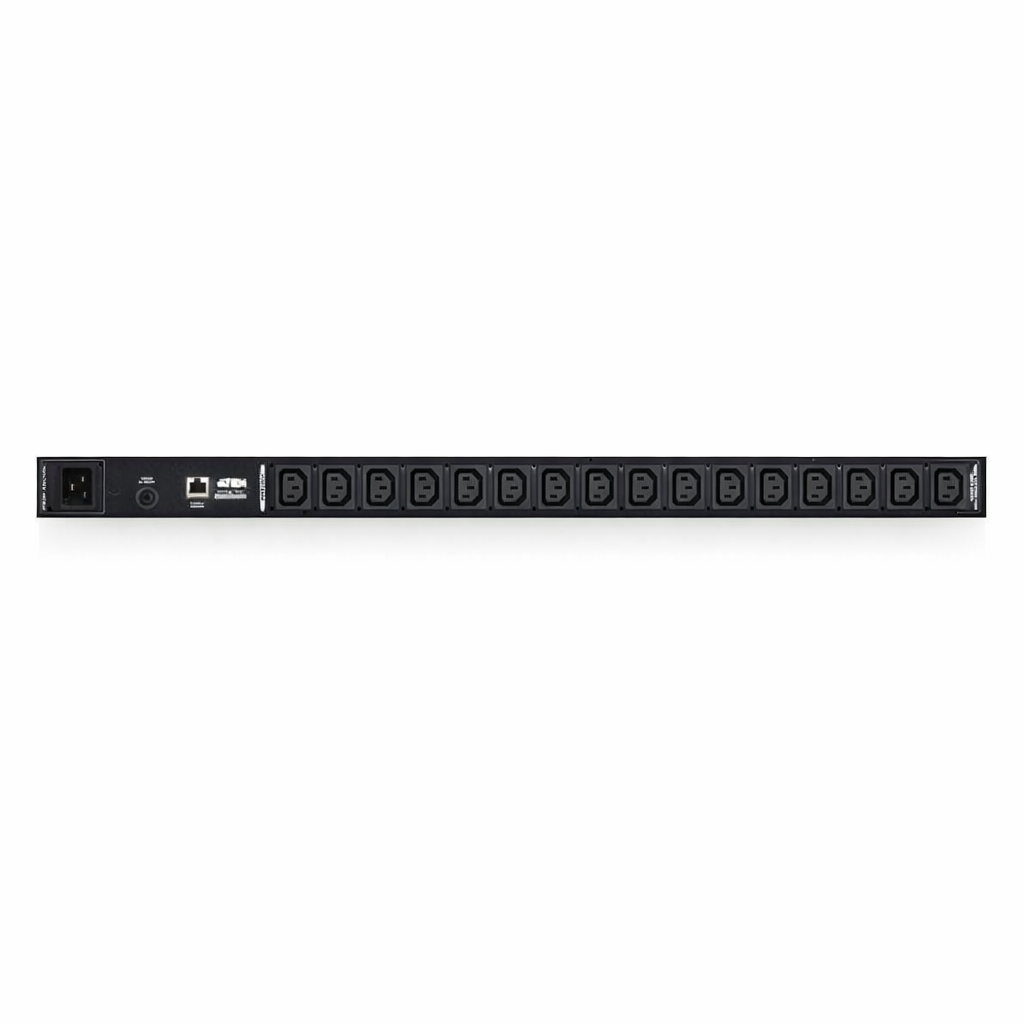
0U PDU – 16A – 16-Way – Optional Metering
This 0U vertical PDU provides 16 IEC C13 outlets in a compact rack-mounted format.
Its vertical design preserves horizontal rack space, while selected configurations offer current monitoring.
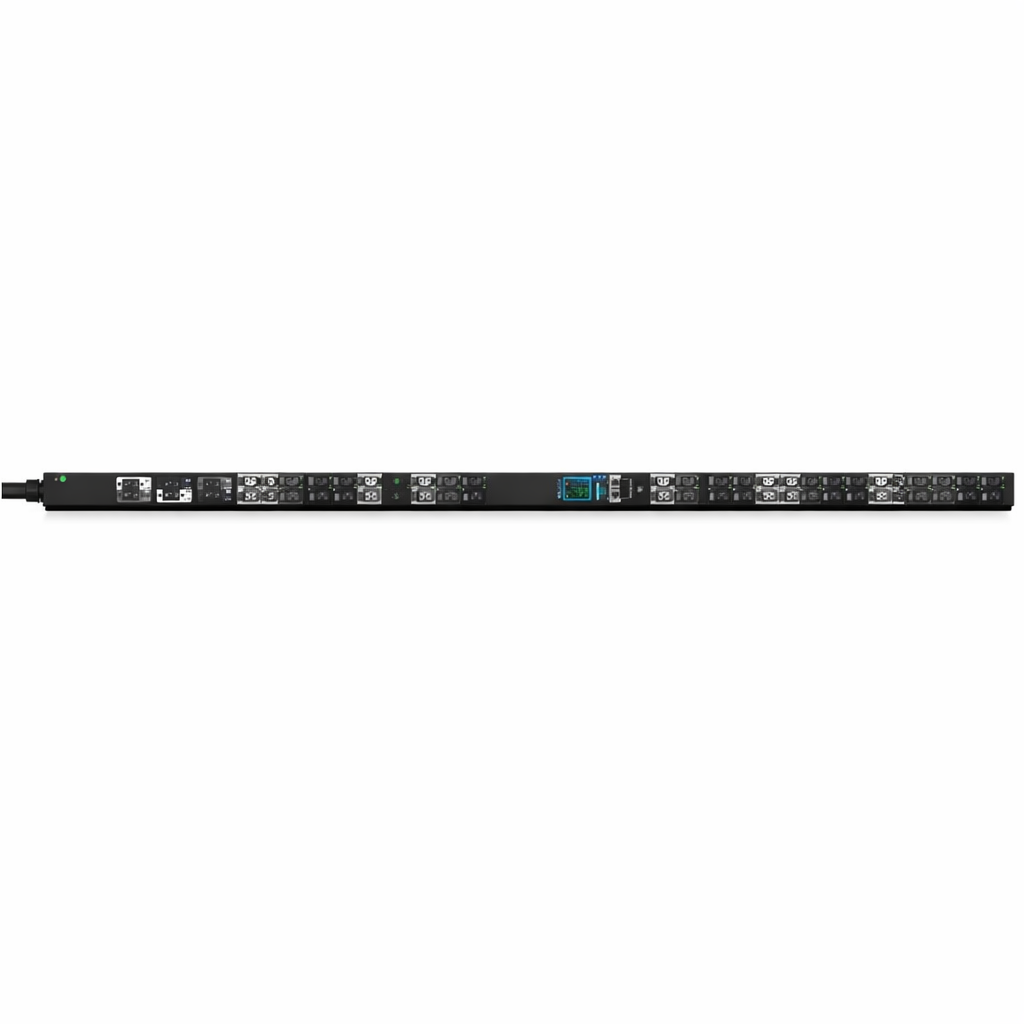
0U PDU – 3 Phase – 32A – 42-Way – Managed
A high-density intelligent PDU featuring 42 outlets and three-phase 32A input.
Its managed configuration is designed for installations requiring enhanced power visibility and management. Check the product specification for the available remote monitoring and switching features.
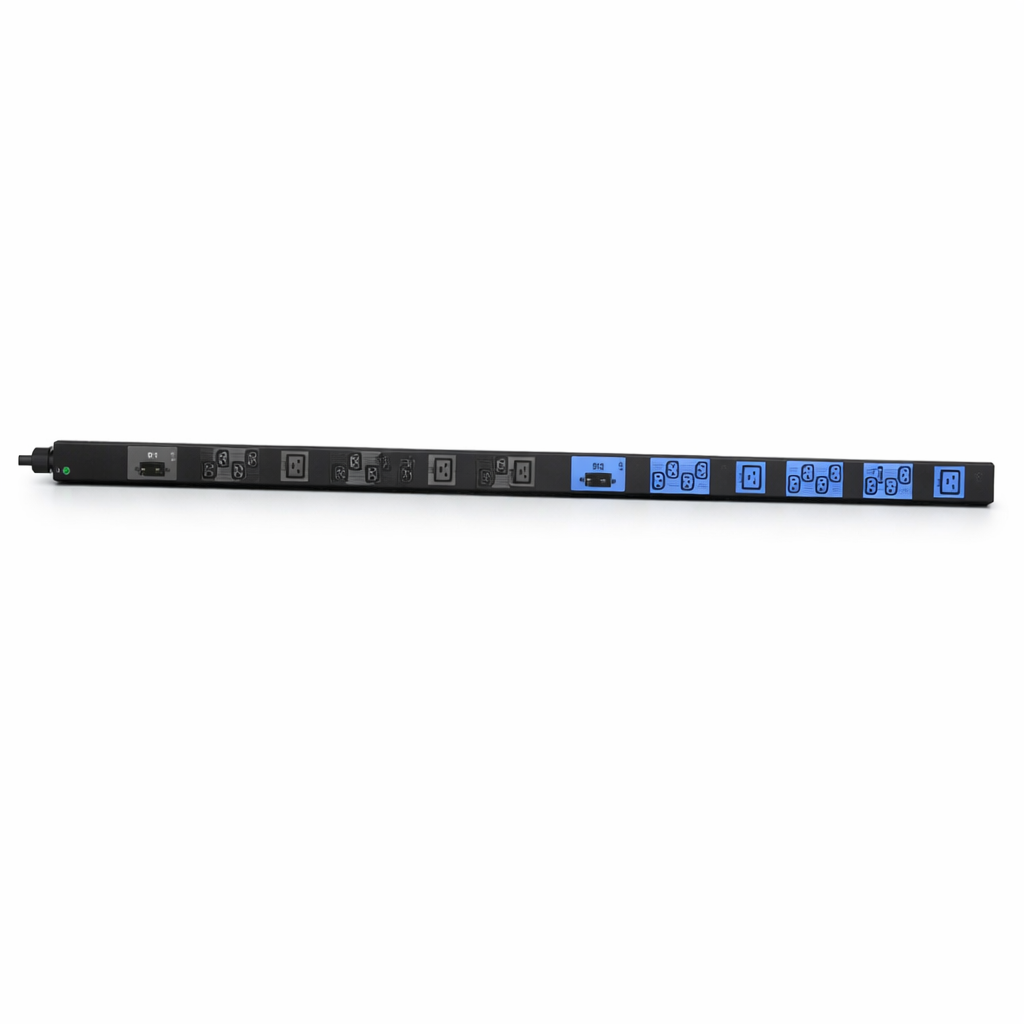
0U PDU – 1 Phase – 32A – 30-Way – Basic
A basic vertical rack PDU featuring 30 outlets, including 24 IEC C13 and six IEC C19 connections.
Designed for straightforward power distribution without remote monitoring or switching functions.
These examples demonstrate why outlet count alone should not determine PDU selection. Electrical input, outlet type, mounting format and management capabilities all influence suitability.
PDU Outlet and Power Options
Rack PDUs are available with different outlet formats, electrical input ratings and phase configurations. These must match the equipment and upstream supply.
C13 and C19 Outlets
IEC C13 outlets are commonly used with equipment featuring C14 inlets, while C19 outlets are used with C20 inlets.
Some high-density PDUs also feature combination outlets compatible with multiple connector formats.
16A and 32A PDUs
PDU input ratings include 16A and 32A configurations. Selection depends on the supply circuit, equipment load and electrical requirements.
Single-Phase PDUs
Single-phase PDUs are commonly used in network cabinets, communications rooms and many standard server rack installations.
Three-Phase PDUs
Three-phase PDUs distribute electrical loading across multiple phases and can support higher-density infrastructure installations.
Some PDUs use IEC 60309 industrial input connectors, often referred to as Commando connectors in the UK. Surge protection is available on certain products but should not be assumed to be standard.
PDU vs Power Strip vs UPS
Although these devices are all associated with electrical power, they perform different functions.
| Device | Primary Function | Typical Application |
|---|---|---|
| Rack PDU | Distributes power to rack equipment | Server racks and network cabinets |
| Power Strip | Provides multiple sockets from one supply | General electrical equipment |
| UPS | Provides temporary backup power | Maintaining operation during supply interruptions |
A rack PDU does not normally provide battery backup. In many installations, a UPS supplies power to a PDU, which then distributes that power to connected equipment.
How to Choose a PDU for Your Server Rack
Selecting a suitable rack power distribution unit involves reviewing both electrical and physical installation requirements.
- Calculate the equipment load. Review total electrical demand, upstream supply and permitted circuit loading.
- Check the input connection. Confirm voltage, phase, connector and current rating.
- Count the required outlets. Identify C13, C19 and other outlet requirements.
- Choose the mounting format. Determine whether vertical 0U or horizontal 1U/2U installation is preferable.
- Consider monitoring. Decide whether basic distribution or electrical metering is required.
- Assess remote management. Consider intelligent monitoring and remote outlet switching where useful.
- Plan for expansion. Allow for future equipment, power capacity and cable management requirements.
Explore Rack Power Distribution Options
Understanding PDU types makes it easier to identify the appropriate configuration. Explore the Telenco UK range of rack power distribution units.
Explore Rack PDUsPower Distribution Units – FAQs
What does PDU stand for?
PDU stands for Power Distribution Unit. In a server rack or data centre, it refers to a device that distributes electrical power from an incoming supply to multiple connected devices. Rack PDUs may provide basic distribution, monitoring or remote management.
What is a PDU in a data centre?
A PDU distributes electrical power to IT equipment. Rack PDUs are installed inside server racks to supply individual devices, while larger facility-level PDUs may distribute power to multiple racks or circuits. Some models provide monitoring and management functions.
What's the difference between a metered and a switched PDU?
A metered PDU measures electrical usage, helping operators monitor loading and capacity. A switched PDU allows authorised users to remotely control individual outlets or outlet groups. Some intelligent PDUs combine both monitoring and switching.
Is a PDU the same as a power strip?
A basic rack PDU performs a similar distribution function to a power strip. However, rack PDUs are designed for equipment cabinet installation and may offer specialist outlet configurations, monitoring and remote management features.
Do I need a PDU and a UPS?
A PDU and UPS perform different functions. The UPS provides temporary backup power during a supply interruption, while the PDU distributes power to connected devices. Many server installations use both, depending on resilience requirements.
What is a C13 and C19 outlet?
C13 and C19 are IEC connector formats commonly found on rack PDUs. C13 outlets connect to C14 equipment inlets, while C19 outlets connect to C20 inlets. Electrical ratings and compatible cables must be checked before installation.
How do I install a PDU in a rack?
Install the PDU using the manufacturer's mounting instructions, either vertically or horizontally in a compatible rack position. Confirm the input supply, route cables securely and connect equipment using suitable power cords. Follow applicable electrical safety requirements.
Find the Right Power Distribution Solution
From basic vertical PDUs to intelligent managed power distribution, understanding the available options helps you plan reliable rack infrastructure.
Explore the Telenco UK PDU range or contact our sales team for guidance on your requirements.